Comparison
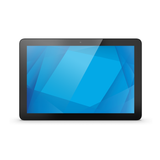
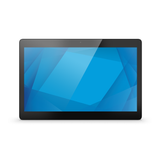
Elo I-Series 5: 10.1-inch vs 15.6-inch compared
Same QCS6490 Android 14 computer, two screen sizes. Compare the 10.1-inch and 15.6-inch Elo I-Series 5 and pick the right one for your counter.
Best for most users
View product
In this guide
Inside, the two I-Series 5 models are the same computer: Qualcomm QCS6490, 8 GB RAM, 64 GB storage, Android 14 with Google Play Services and the same ports. The choice is about the screen and the space you have. The 10.1-inch model is compact, brighter and draws less power; the 15.6-inch model gives your POS app much more room for buttons, item grids and order lists.
Specifications side by side
| 10.1-inch (E539154) | 15.6-inch (E540294) | |
|---|---|---|
| Screen size, format | 10.1 inch, 16:10 | 15.6 inch, 16:9 |
| Resolution | 1920 × 1200 | 1920 × 1080 |
| Active display area | 217 × 136 mm | 344 × 194 mm |
| Brightness through the touch glass | 387 cd/m² | 213 cd/m² |
| Contrast ratio | 900:1 | 700:1 |
| Viewing angle | ±80° | ±85° |
| Speakers | 2 × 2 W | 2 × 1.5 W |
| Typical power, on | 6.0 W | 9.2 W |
| Size (W × D × H) | 252.9 × 169.0 × 22.1 mm | 389.7 × 249.7 × 22.3 mm |
| Weight | 0.7 kg | 1.6 kg |
| VESA mount | 75 mm | 75 mm or 100 mm |
| Processor, memory | Qualcomm QCS6490, 8 GB RAM, 64 GB | Qualcomm QCS6490, 8 GB RAM, 64 GB |
| Operating system | Android 14 with Google Play Services | Android 14 with Google Play Services |
| Touch | Projected capacitive, 10 touches | Projected capacitive, 10 touches |
| Ports | USB 3.0 Type-A, USB-C, 4 × Edge Connect, Gigabit Ethernet, microSD, GPIO | USB 3.0 Type-A, USB-C, 4 × Edge Connect, Gigabit Ethernet, microSD, GPIO |
| Wireless | Wi-Fi 802.11a/b/g/n/ac/ax, Bluetooth 5.2 | Wi-Fi 802.11a/b/g/n/ac/ax, Bluetooth 5.2 |
| Camera | 8 MP, autofocus | 8 MP, autofocus |
| Power options | Power brick or optional PoE module | Power brick or optional PoE module |
| Operating temperature | 0–40 °C | 0–40 °C |
Figures are from Elo's I-Series 5 for Android data sheet. Brightness is measured through the touch glass, which is what you see in use.
Choose the 10.1-inch if
- Counter space is tight, or the screen goes on a pole, wall or shelf
- You need a customer-facing screen, price checker, queue or check-in point
- Your POS app has a simple layout, such as a café or market stall
- The unit runs on PoE and you want the lowest power draw
Choose the 15.6-inch if
- Staff ring up many different items and need a large item grid
- You run table service, kitchen orders or long receipts on screen
- Customers order themselves at a self-service counter
- Your stand or mount uses the 100 mm VESA pattern
What is the same on both
Setup, Android settings, PoE options and peripherals are identical, so the I-Series 5 setup guide and I-Series 5 troubleshooting apply to both. Both use the same 65 W power brick as standard and Elo's optional 90 W cable kit when they power an Elo USB-C monitor. Elo's PoE++ module kit E669163, the Edge Connect peripherals (scanners, card readers, status light) and the Tabletop Flip Stand E924077 fit both sizes. Elo states the same upgrade path for both: Android 16 and a planned Android 18 with an Elo OS 360 subscription.
Stands and mounting
The stand is not shared. Elo's Z20 Stand, which adds four USB ports and a cash drawer port, comes in a 10-inch version (E554932) and a 15-inch version (E767356). Elo lists more stands for the 15.6-inch model, including self-service countertop and floor stands and Elo stands for the 100 mm VESA pattern. Check the stand's part number against the screen size before you order.
Both models: 10.1-inch I-Series 5 (E539154) · 15.6-inch I-Series 5 (E540294). Elo's full data: I-Series 5 for Android data sheet.
Frequently asked questions
Is the 15.6-inch I-Series 5 faster than the 10.1-inch?
No. Both have the same Qualcomm QCS6490 processor, 8 GB RAM and 64 GB storage, so apps run the same on both.
What screen resolution do the two sizes have?
The 10.1-inch model has 1920 × 1200 pixels and the 15.6-inch model 1920 × 1080. With almost the same pixel count on a smaller area, text looks sharper on the 10.1-inch screen.
Can I use the same accessories on both?
Edge Connect peripherals, the PoE module, the power kits and the Tabletop Flip Stand fit both. The Z20 Stand is size-specific.
Was this guide helpful?
More ELO I SERIES 5 guides
Still stuck?
Contact support
Send us your model and a short description of the problem. Our team will help you find a solution.